How to Add a Watermark to a PDF
Quick answer
Upload the PDF, type your watermark text, and it is stamped across every page at once — there is no per-page selection, because consistent coverage is the whole point. Keep it to a couple of words: DRAFT during review, CONFIDENTIAL for restricted documents, or a company name for external material. A watermark labels a document, it does not secure one — use Protect PDF when access actually needs restricting.
What a watermark is for
A watermark stamps repeated text across every page — CONFIDENTIAL, DRAFT, a company name — so the status or ownership of a document is visible no matter which page someone is looking at, even if it's printed or a screenshot is taken of a single page out of context.
It's a labeling tool, not a security control: a watermark doesn't stop someone from reading, copying, or forwarding the document. For that, use Protect PDF's password encryption instead, or combine both when a draft needs to be clearly marked and access-restricted.
Adding a watermark
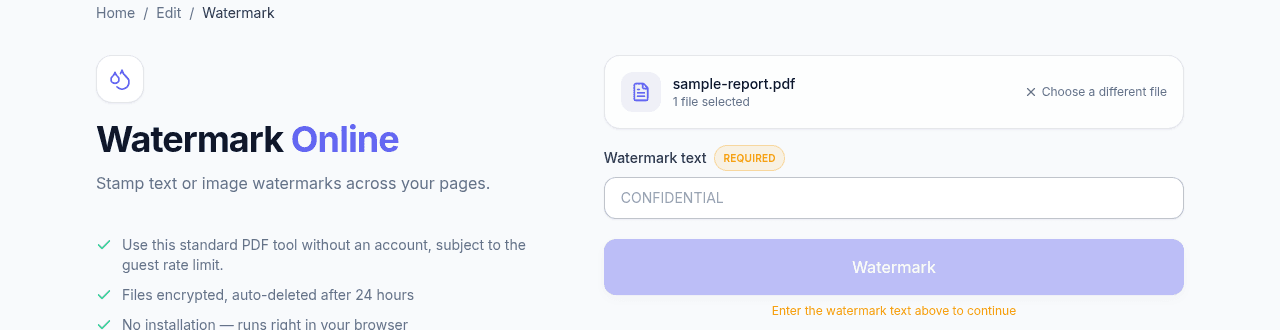
Upload the PDF, type the watermark text into the required field, and run Watermark. The text is stamped across every page at once — there's no per-page selection, since the point is consistent coverage throughout the document.
Choosing watermark text
Keep it short — a couple of words reads clearly at any page size, while a long sentence repeated across every page becomes visual noise. Common choices are DRAFT during review, CONFIDENTIAL for restricted documents, or a company name for externally shared brand materials.
Frequently asked questions
Can I set the position, size or transparency?
Not currently. You supply the text and it is stamped consistently across every page, which covers the common case of marking a document's status. For precise placement, or a logo image rather than text, place it yourself with Edit PDF.
Can I watermark only some pages?
No — the stamp applies to the whole document by design, since a status mark appearing on only some pages defeats the point of having one. Split the document first if genuinely only part of it needs marking.
Can a watermark be removed by the recipient?
By someone determined, yes. It becomes part of the page content, which makes removing it cleanly awkward, but a watermark is a label rather than a lock and should never be what stops a document being redistributed. Password encryption is the control for that.
Does adding a watermark make the file bigger?
Barely. It adds a small amount of text content per page rather than an image, so the difference is negligible against what the document already contains.