How to Password Protect a PDF
Quick answer
Open Protect PDF, upload your file, set a password, and download the encrypted copy. This applies AES-256 encryption to the document's contents — not a viewer-level flag that other software can simply ignore — so the file genuinely cannot be opened without the password.
Step by step
- 1
Open Protect PDF and upload your file
Drop in the PDF you want to encrypt. The original upload is left untouched; the tool produces a new, encrypted file.
- 2
Choose a password
Four characters is the minimum accepted, but for anything genuinely sensitive use a long, unguessable one. There is no recovery route — if the password is lost, the contents are not retrievable by us or anyone else.
- 3
Share the file and the password separately
Send the password through a different channel than the document itself — a text message if the PDF went by email — so intercepting one does not hand over both.
Real encryption vs. a viewer restriction
Some tools only set a flag that a PDF viewer chooses to respect — the file itself is unprotected, and other software can ignore the restriction entirely. Protect PDF applies standard AES encryption to the file content, so opening it without the correct password isn't possible regardless of which viewer or library is used.
Setting a password
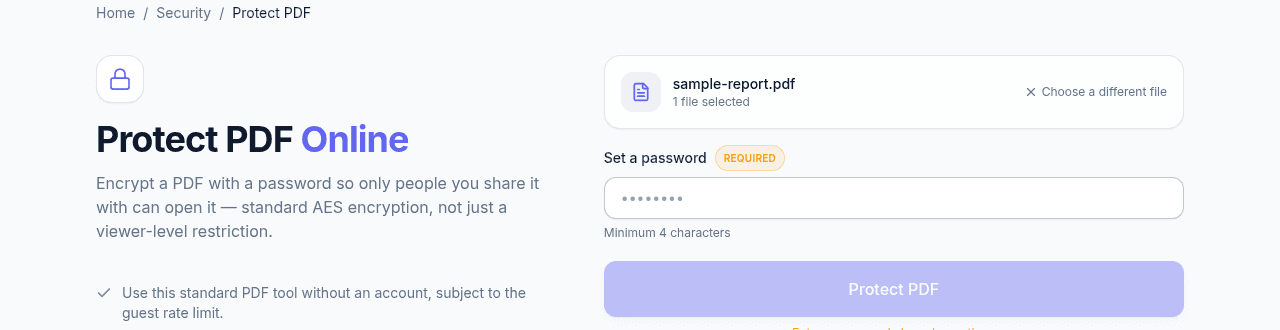
Upload the PDF, set a password of at least 4 characters (longer and less guessable is better for anything genuinely sensitive), and run Protect PDF. The output is a new encrypted file — the original upload is untouched.
Sharing an encrypted PDF safely
Send the password through a different channel than the file itself — a text message if the PDF went by email, for instance — so intercepting one doesn't hand over both. If you later need to remove the password from a file you control, Unlock PDF reverses this with the correct password.
Frequently asked questions
Is a password-protected PDF actually secure?
It depends entirely on what "protected" means in the tool you used. Protect PDF applies AES-256 encryption to the file's contents, so it cannot be read without the password in any viewer or library. Tools that only set a permissions flag leave the file itself unencrypted, and any software is free to ignore that flag.
What happens if I forget the password?
The document cannot be opened again. That is the point of real encryption — there is no back door, and no way for us to recover it. Keep a copy of the password somewhere safe before you send the file.
Can I remove the password later?
Yes. Unlock PDF removes encryption from a file you own, as long as you supply the correct password.
Does encrypting a PDF hide sensitive text inside it?
No. Encryption controls access to the whole file; anyone with the password sees everything in it. To remove sensitive content permanently, redact it first, then protect the redacted file.